How it works
Inside Jurnl, page by page.
How a page begins, what the AI companion notices as your journal grows, and how photos stay with your words.
Begin
Begin, write, close the book.
-
Begin
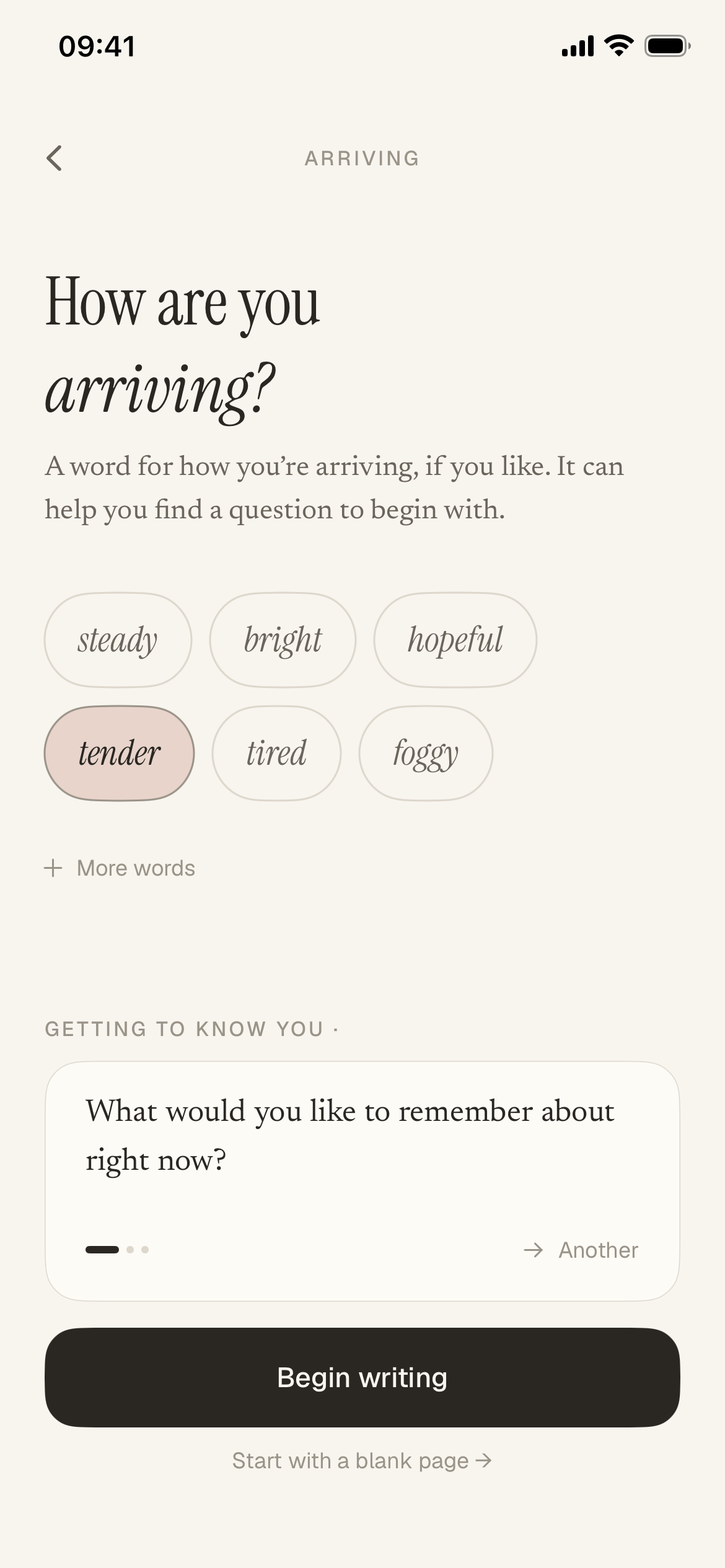
A question to start from. Or a blank page.
Pick a word for how you’re arriving, and Jurnl’s AI companion offers a question to begin with. Not quite right? Ask for Another, or go straight to a blank page.
-
Write
Write what’s on your mind. Take the space you need.
If you stop, the page waits where you left it, until you finish it or tear it up.
A page you leave open is saved, but isn't sent for AI reflection while it's unfinished.
-
Close the book
A small ending. Then back to your day.
Closing the book keeps the entry as you wrote it, among the pages the companion can draw on.
Optional page sounds for opening and closing the book.
The companion
The more you write, the more there is to notice.
Jurnl’s AI companion reads back what you’ve written. When something is really there, it writes a short note grounded in your words, and the view widens as your pages build.
Shown with an example journal.
-
A page
Your own words, seen again.
-
A thought, noticed
Close the book, and a short note can appear with the entry. It can underline a word from your page.
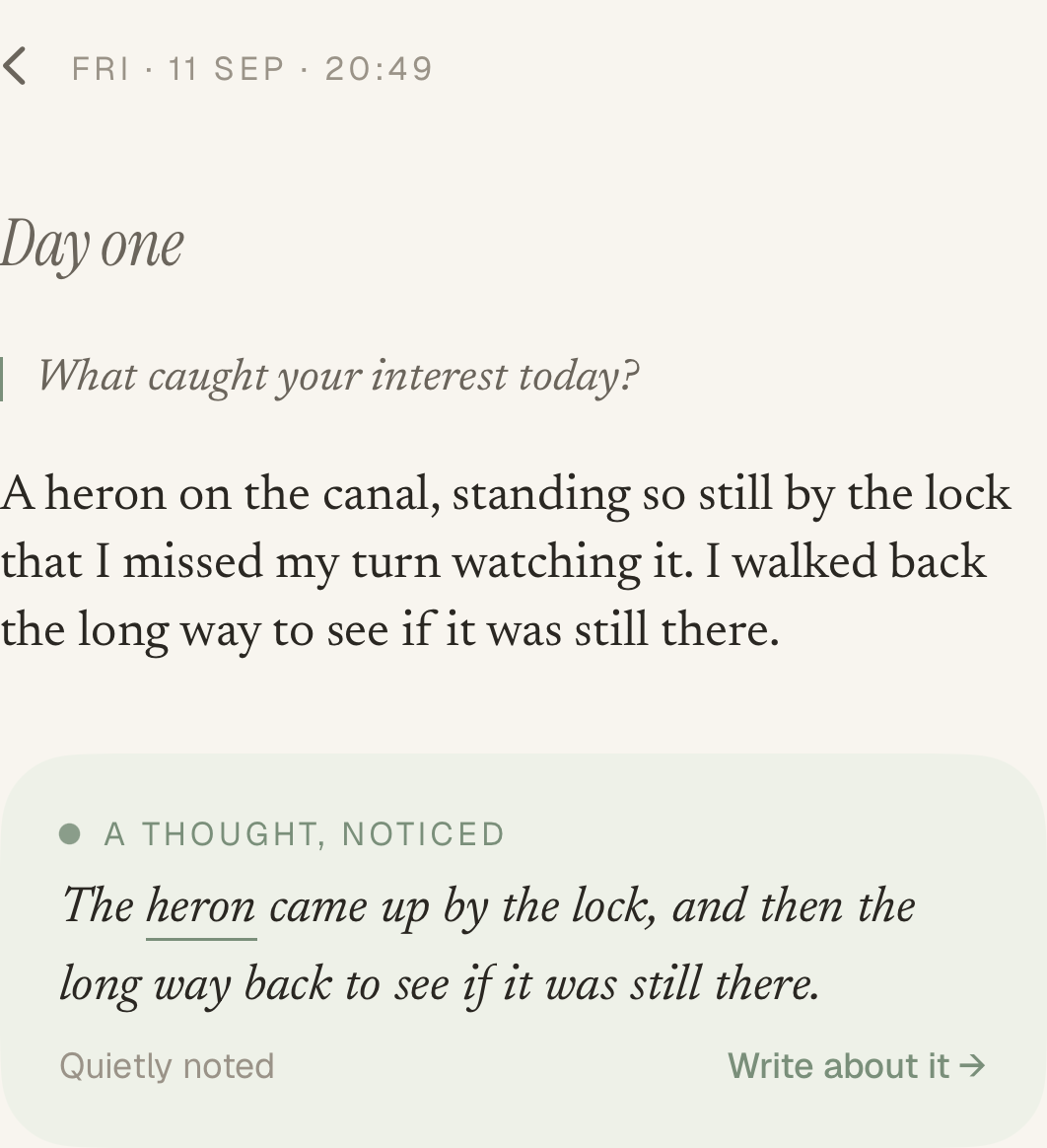
An entry and its note. Full size -
-
Recent writing
What keeps coming back.
-
Your week
Write on a few days, and it can notice what came up more than once.
-
This stretch
The last couple of months in perspective. It can lead you back to the pages behind the thought.
-
-
The longer view
A wider view, built over months.
-
Seasons
When a three-month season closes, look back on it as a whole.
-
Chapters
Jurnl can suggest a chapter that follows what you’ve been writing about. Keep it, rename it, adjust it or let it go.
-
What stays
After many months, what keeps mattering across your journal.
-
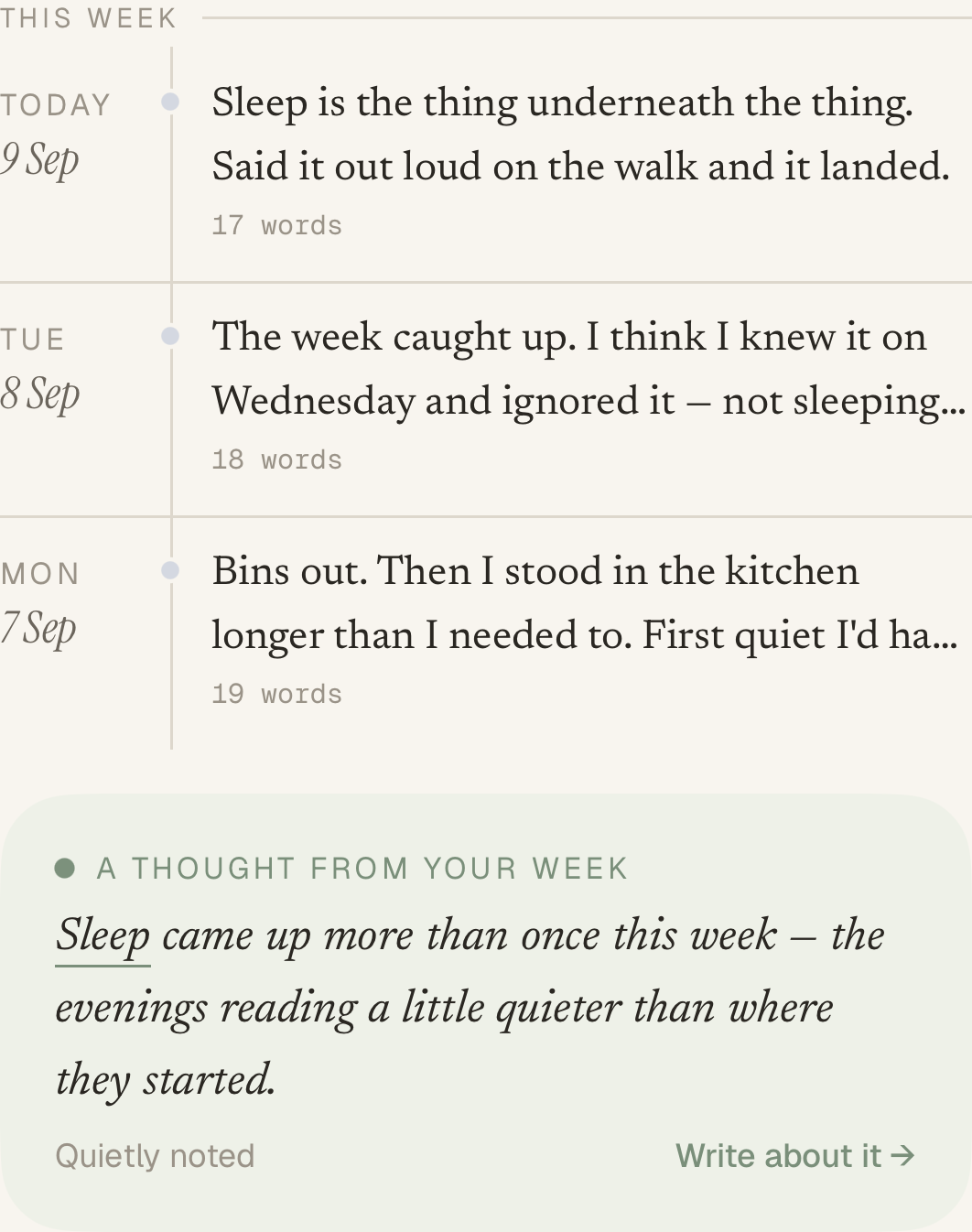
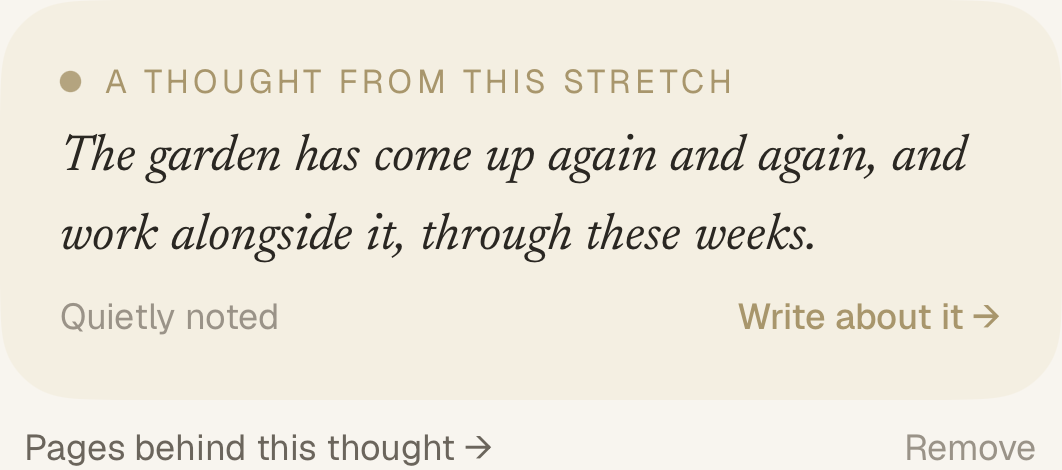
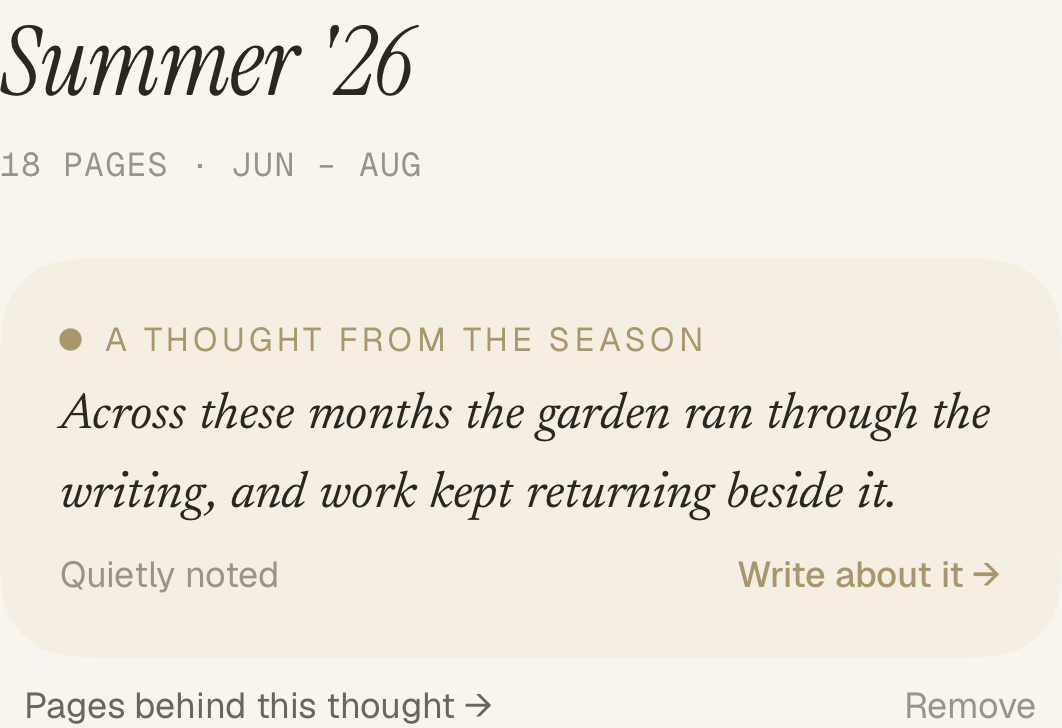
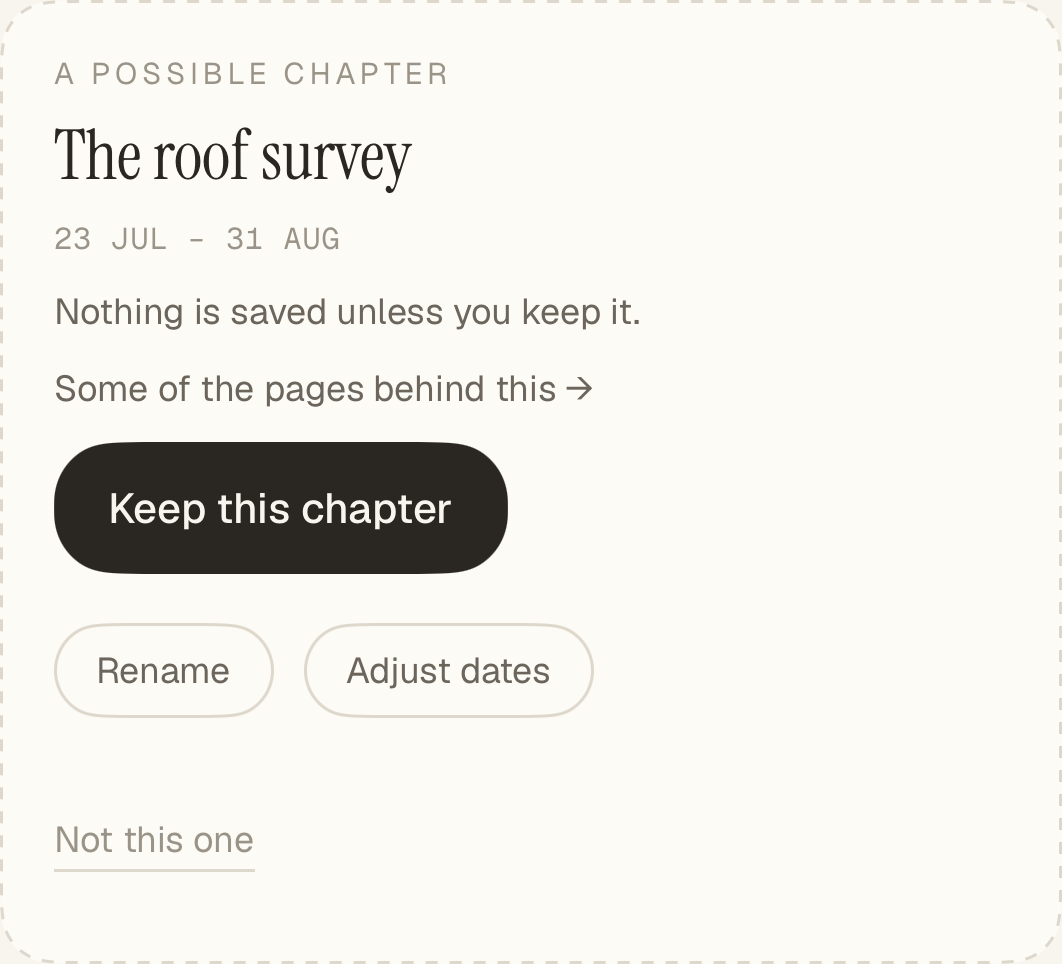
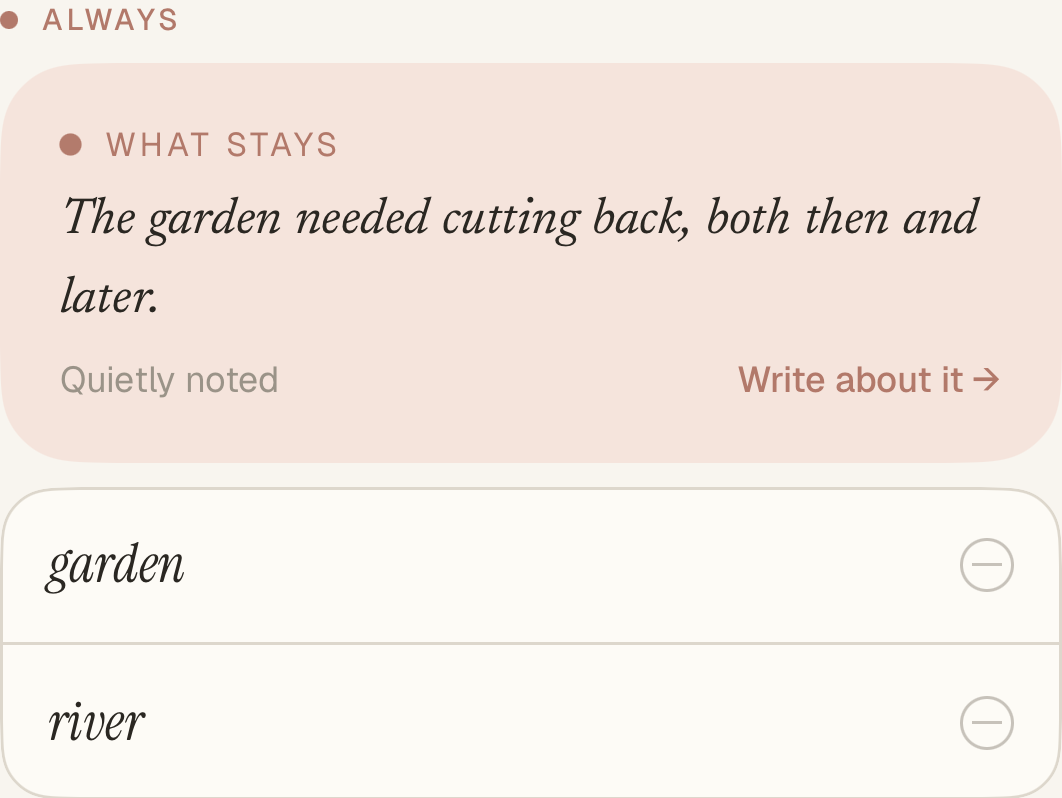
Notes appear when your writing gives the companion something real to point at, so each one is there for a reason.
Photos
Keep the picture with the words.
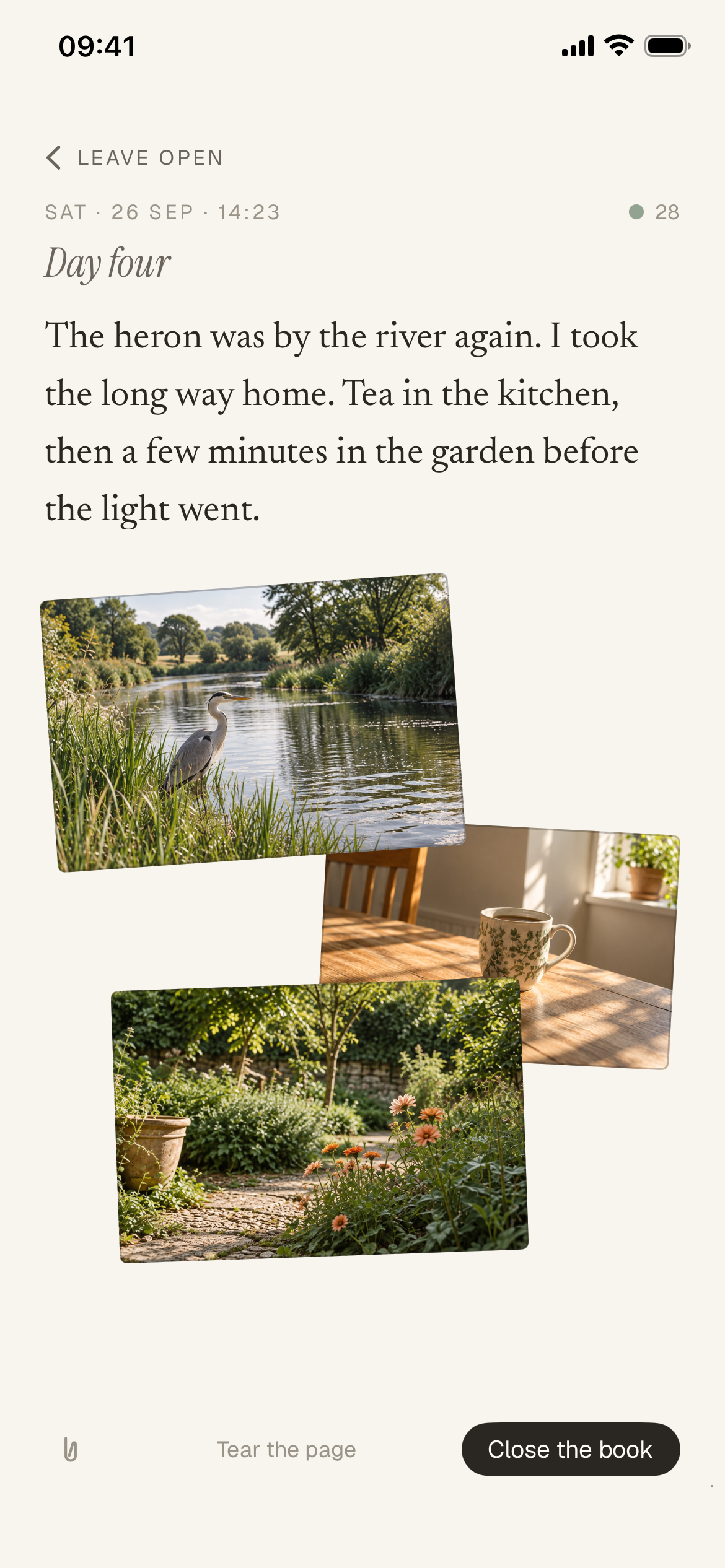
Add up to four still photos to a page as you write, or later to one you’ve closed. Your words stay as you wrote them.
Stack them, fan them out, arrange them your way, and swipe through them full screen.
-
Your own pace.
Come back after a week or a season: an unfinished page waits where you left it, and a question is ready. Starting again
-
An extra door, if you want one.
Turn on journal lock, and Jurnl asks for Face ID, Touch ID or your device passcode before it opens.
Questions
A few things worth knowing.
Can I just write?
Yes. A blank page is always one tap away, and a question is only ever an offer: take it, ask for another, or skip it.
What if I stop for a while?
Nothing breaks. Everything you wrote is still there, an open page stays where you left it, and a question is ready when you’re back.
Does the companion read everything I write?
Each request uses relevant writing. When you close the book, that entry and a few relevant earlier passages may be used for a note. A page you leave open isn’t, and longer views draw on a few short passages from the stretch they look at.
How is this different from chatting with an AI?
Jurnl is built around a journal you keep. Your pages come first, and the companion’s notes sit beside them, grounded in what you wrote. There’s no conversation to keep up: you write, close the book, and come back when you like.
Is the companion a therapist or a coach?
No. It notices what’s in your writing and reflects it back; it doesn’t give advice or treatment. Jurnl includes a list of support services for where you are, but it isn’t one.
What does it cost?
Jurnl will be a paid app: one complete journal, with nothing held back for a premium tier. The price will be announced when it’s released.
When can I use it?
Jurnl is coming to iPhone. It isn’t available yet, and early access isn’t open.